
Before understanding React.js, I think we should understand the traditional way of how frontend pages and applications were built.
So, in the traditional way, we use HTML, CSS, and JavaScript file systems in which we create multiple HTML pages like home.html, about.html, contact.html, etc., and we design these pages with CSS and their properties. For making them more interactive, we used JavaScript and advanced libraries like jQuery, AJAX, etc. Then we deployed them on servers.
I will explain this traditional way with code in a different blog, but as technologies evolved, developers switched to frameworks and advanced libraries like React.js, AngularJS, Vue.js, etc.
Some frameworks like Django also help us create user interfaces.
So, React.js is an advanced JavaScript library developed by Facebook, and it is an open-source library that anyone can contribute to.
JavaScript is used to create interactive user interfaces.
Here are many important features of React.js:
Single Page Application:
- React.js is the same as AngularJS, which is a single-page application. It means instead of reloading the complete application while navigating, we just switch between pages. It means when we redirect to the pages, we switch between pages without reloading the app so that we are able to maintain the states.
Component-based approach:
- We can make reusable components and use them. It means we can divide a page into multiple components, and if we perform some changes on a particular component, then only that component re-renders instead of rendering the complete page.
Uses Virtual DOM and React Fiber to handle efficient rendering optimization:
- Internally, React uses a virtual DOM. It means it maintains a virtual DOM, and all the changes are performed first on the virtual DOM. Then it finds the node that has been updated and updates and re-renders only that node on the real DOM. This is how we can handle the re-rendering of components and pages efficiently.
Support of multiple JS libraries:
- In React projects, we can use multiple JS libraries to perform multiple tasks like authentication, routing, state management, etc.
Hooks support:
- React provides two kinds of components: class components and functional components.
- It has a wide range of hooks to use in functional components.
Let’s understand the installation of React and an example of functional components.
React.js Installation and Setup
- Install Node.js and npm on your machine. As the documentation has been updated for Node.js installation, we have to first install Docker on our machine.
- Docker for Linux: https://docs.docker.com/engine/install/ubuntu/
- Docker for Windows: https://docs.docker.com/desktop/setup/install/windows-install/
Then
# Pull the Node.js Docker image:
docker pull node:20-alpine

# Create a Node.js container and start a Shell session:
docker run -it --rm --entrypoint sh node:20-alpine

# Verify the Node.js version:
node -v # Should print "v20.19.5".

# Verify npm version:
npm -v # Should print "10.8.2".
Test the installation:
(base) devserver@LAPTOP-IIR4PDT8:~$ node -v
v20.19.4
(base) devserver@LAPTOP-IIR4PDT8:~$ npm -v
10.8.2
(base) devserver@LAPTOP-IIR4PDT8:~$
To create a React application:
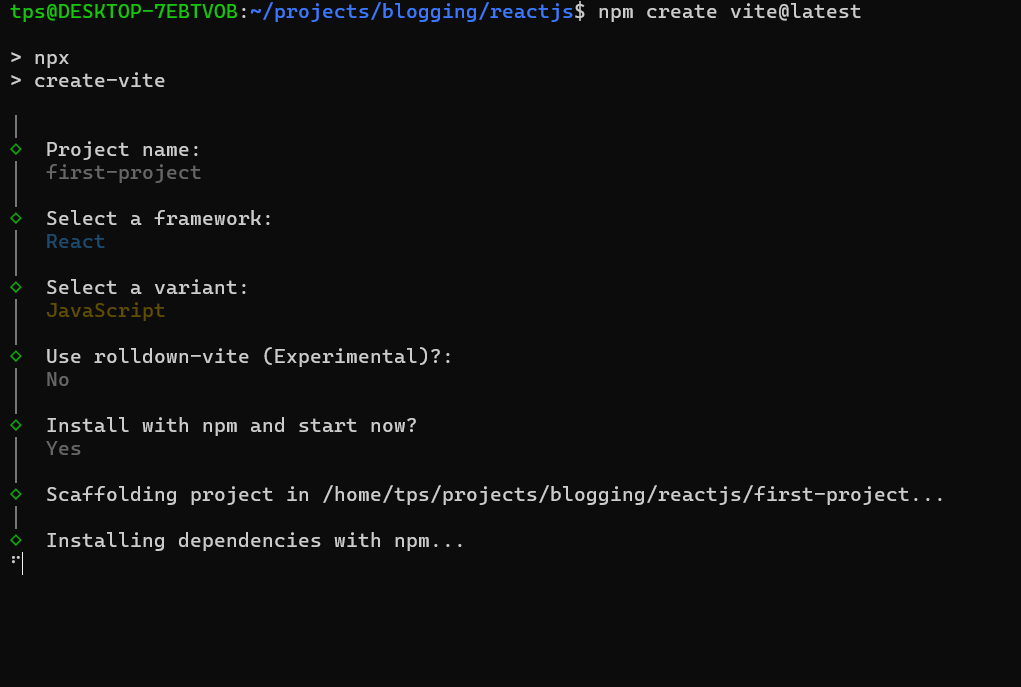
Vite is a build tool. Earlier, we used create-react-app, but it has been deprecated, so now we are using Vite.
Use Vite and follow the steps. For now, we are making our project with JavaScript; later, we can use TypeScript as needed.
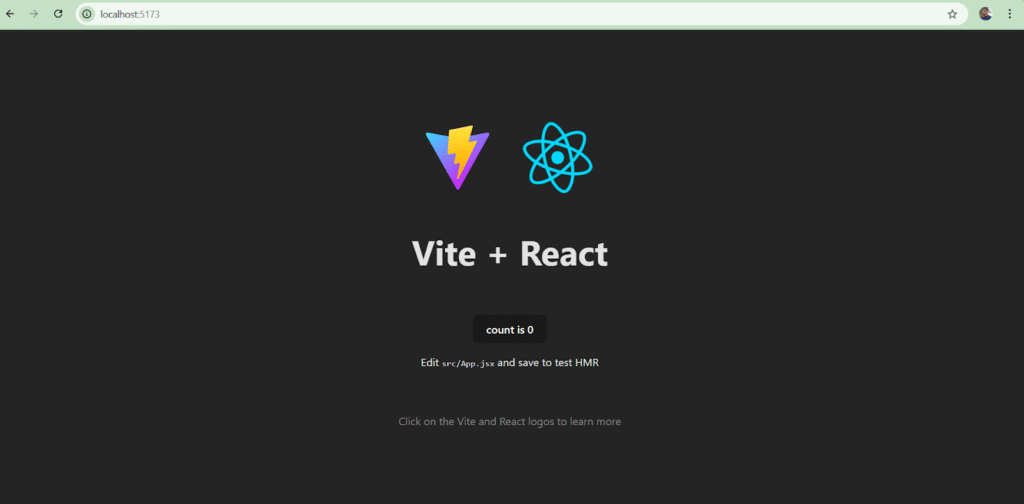
Now openhttp://localhost:5173/
Also, open the “first-project” directory in VS Code.
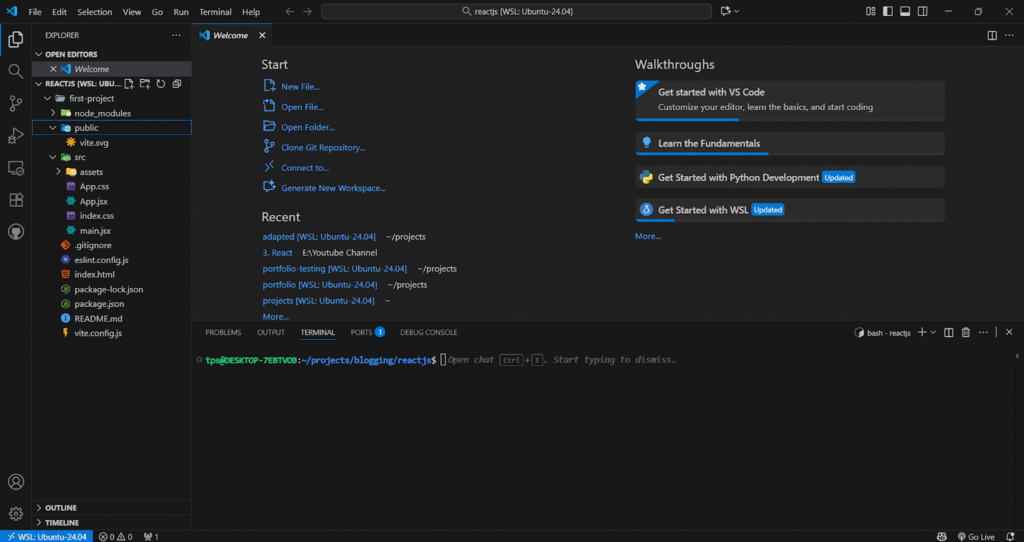
Congratulations, you have created your first React.js application.
Let’s understand the folder structure and flow of react application:
Root directories and files
| File / Folder | Purpose |
|---|---|
| .gitignore | Files Git should ignore |
| README.md | Project documentation |
| eslint.config.js | Code linting rules |
| index.html | Main HTML entry point |
| node_modules/ | Installed dependencies |
| package-lock.json | Locked dependency versions |
| package.json | Project metadata and dependencies |
| public/ | Static files (images, icons) |
| src/ | Main source code (JSX, components) |
| vite.config.js | Vite build configuration |
Src directories and files
| App.css | Styles for the main App component |
| App.jsx | Root React component of your application |
| assets/ | Static resources like images, logos, fonts |
| components/ | Reusable React components (Header, Footer, etc.) |
| index.css | Global CSS styles for the whole app |
| main.jsx | Entry point that mounts <App /> into the DOM |
Now we can make a functional component and update our application.
Make a components directory in the src folder.
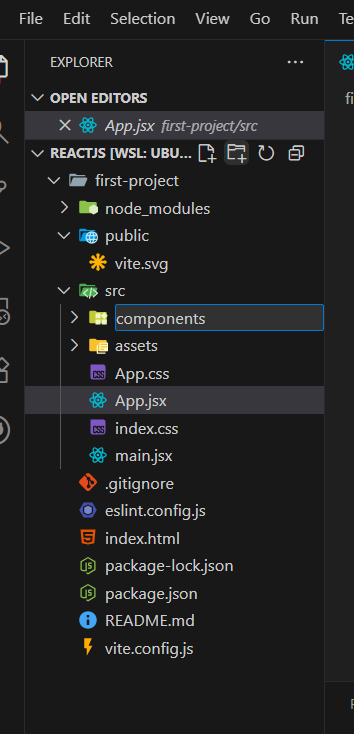
Create a Header.jsx file in the components folder and add code like this.
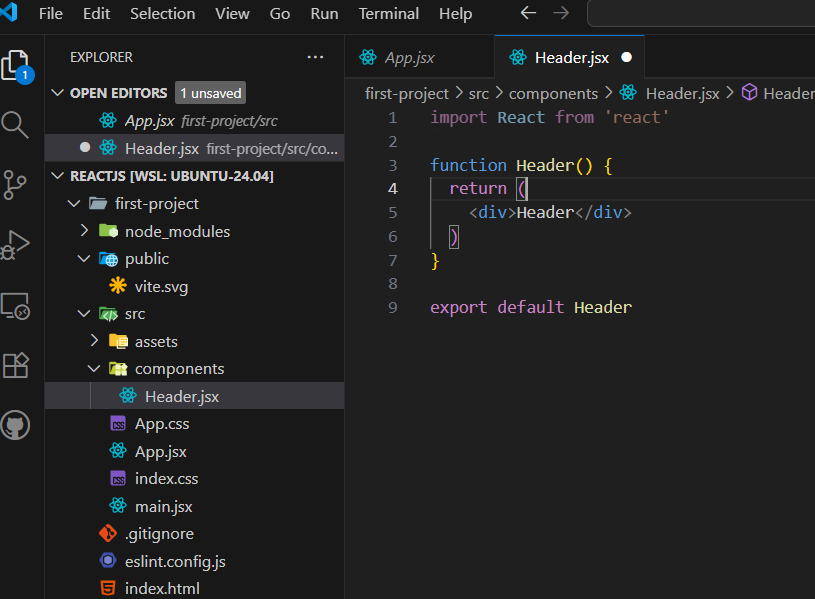
Add Footer.jsx file.
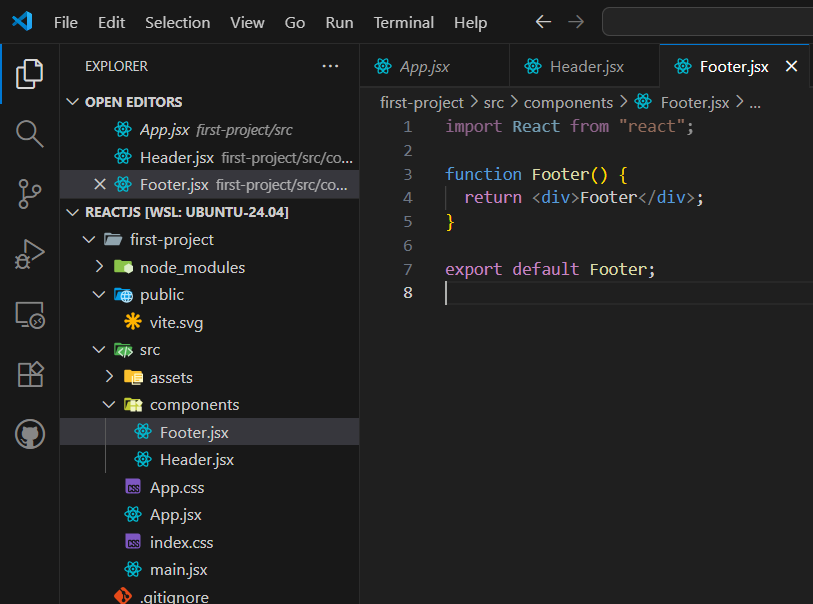
Now we can use these reusable components in our App.jsx file.
Remove the existing content of App.jsx and add Header and Footer like this.
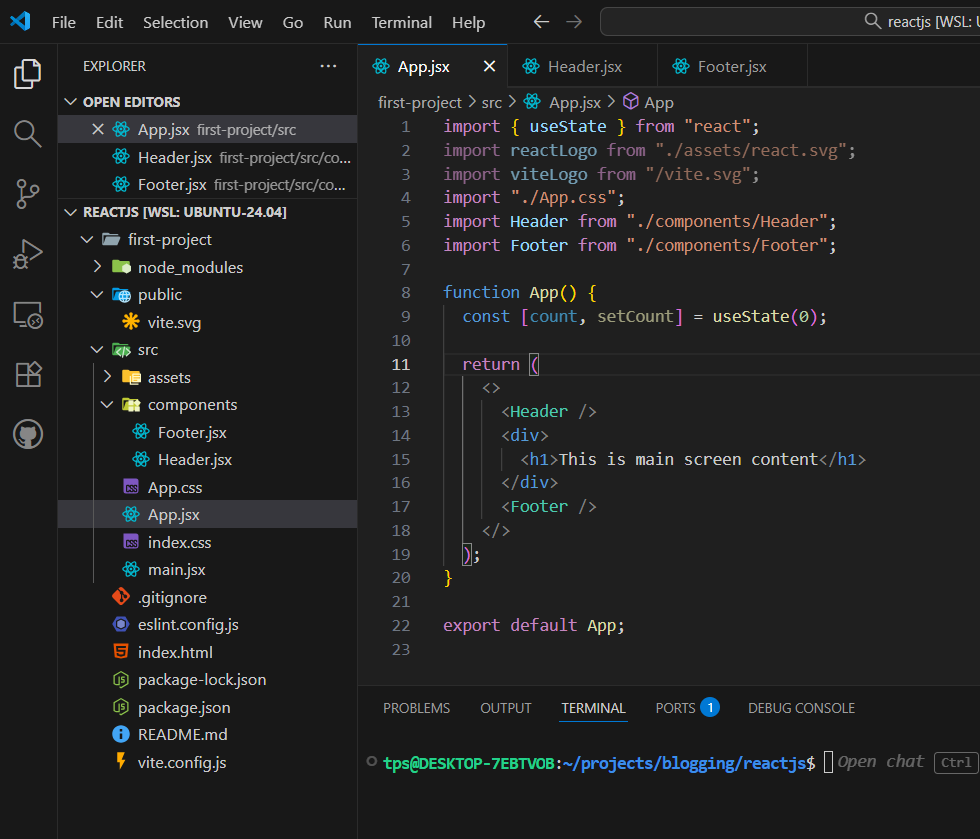
Now see the changes in the browser.
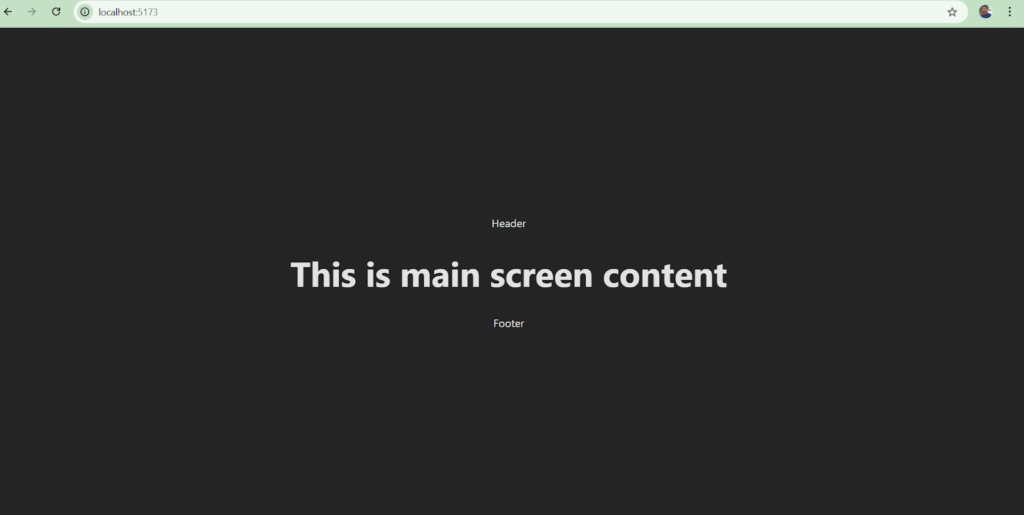
We are still getting a dark background and centered content because we have already written existing CSS in index.css and app.css.
We can update these CSS files anytime we want.
Congratulations, you have learned to make components and use them in different components.
I have used images because I don’t want to write code directly; I want you to write the code yourself after seeing the images.
Happy Coding !